
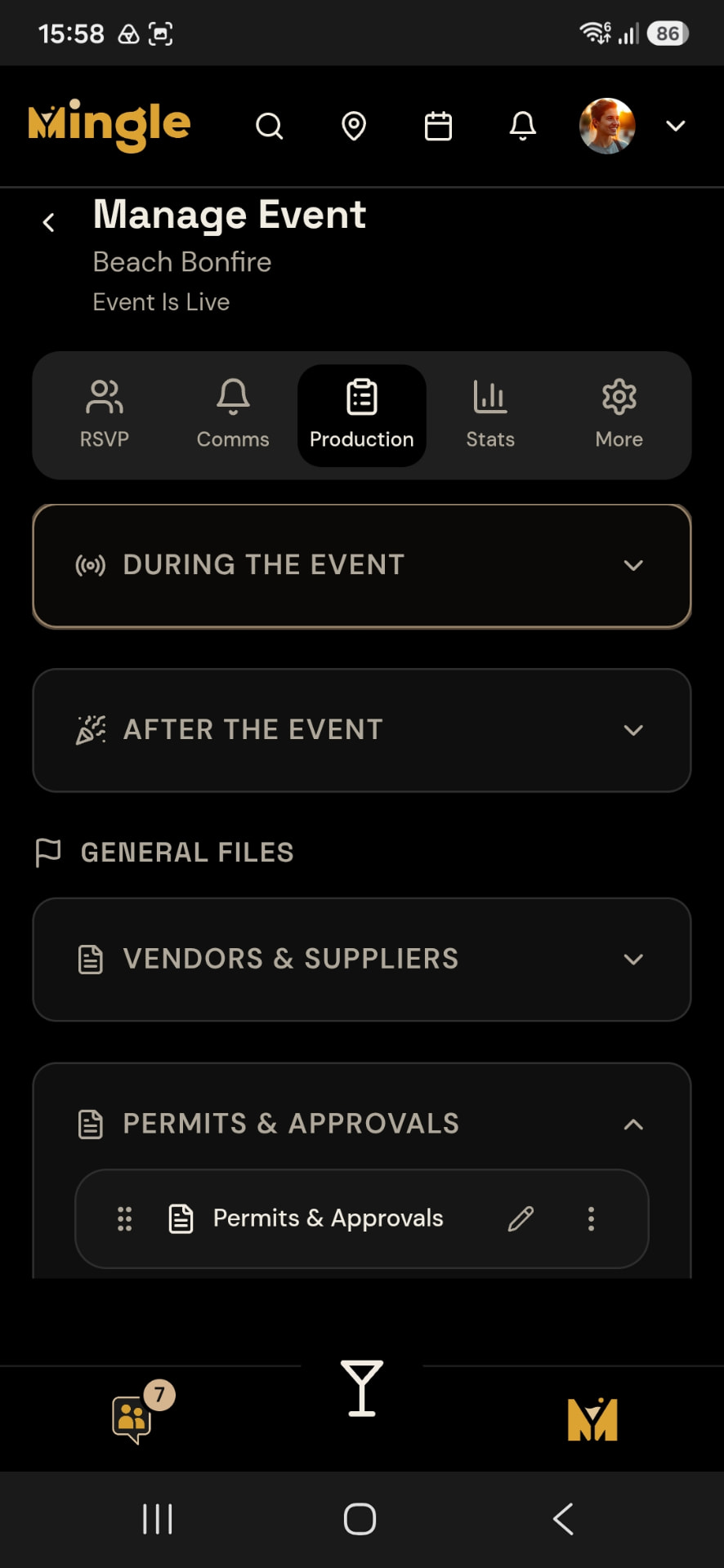
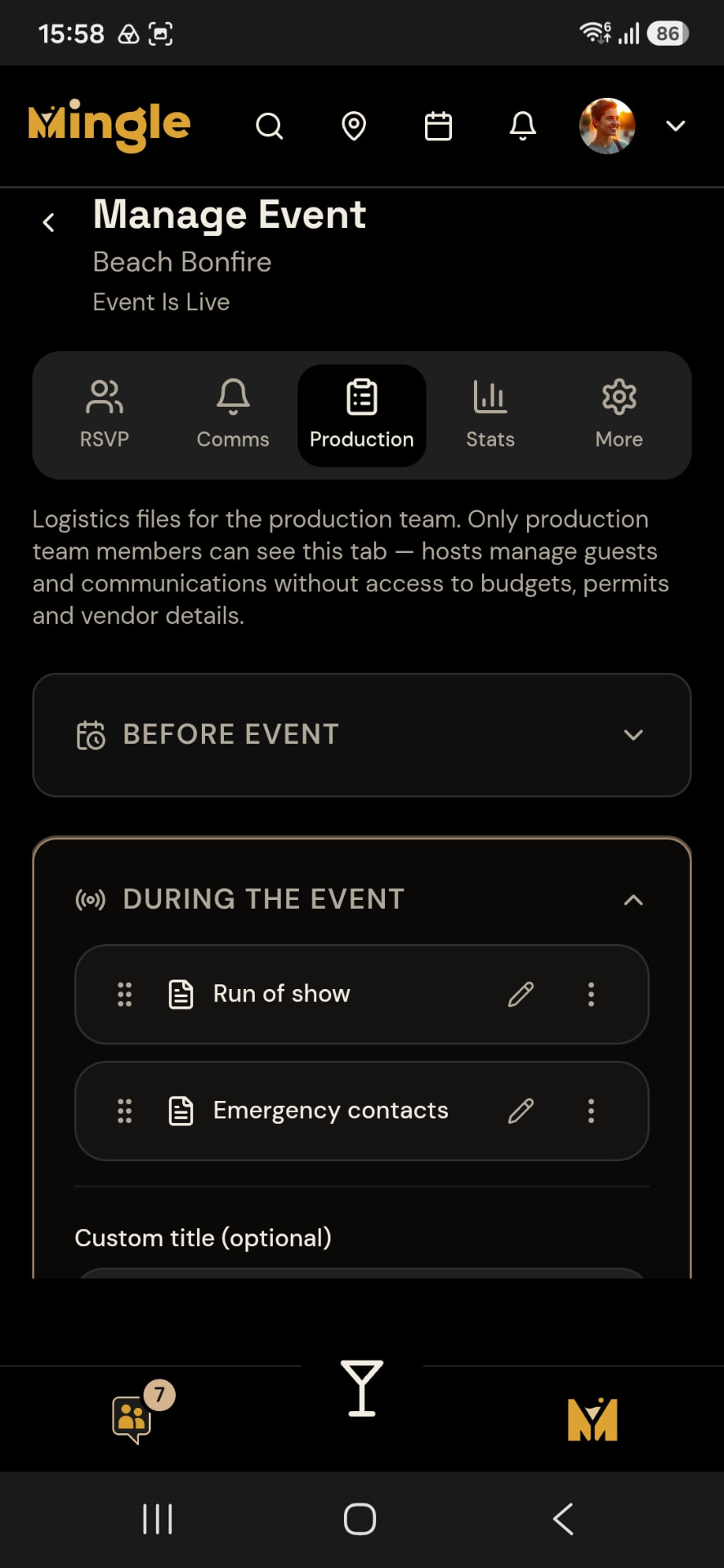
Production files, crew only
Vendor details, permits and approvals and after-event tasks live in the production tab, visible to production team members only. Hosts keep guests and communications without seeing budgets or contracts.
Mingle for event producers
Mingle gives producers production files for the crew, attendance at a glance, team roles and event stats — all from the phone in your pocket.
Guests scan and join in seconds. Available on iOS and Android.
Prefer not to install? Use Mingle at mingle-us.com.
Vendor details, permits and approvals and after-event tasks live in the production tab, visible to production team members only. Hosts keep guests and communications without seeing budgets or contracts.
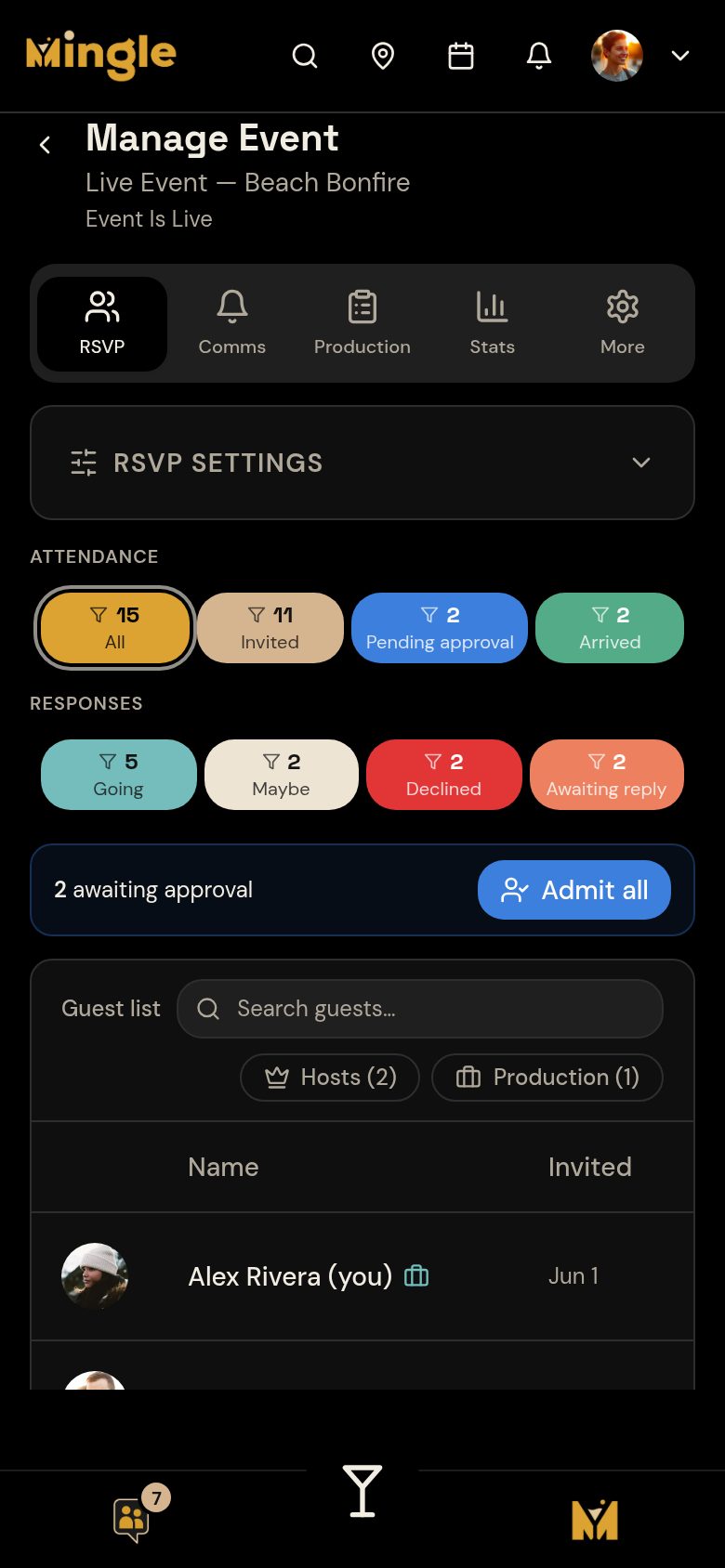
Invited, pending approval and arrived — see the numbers live and admit guests in bulk.
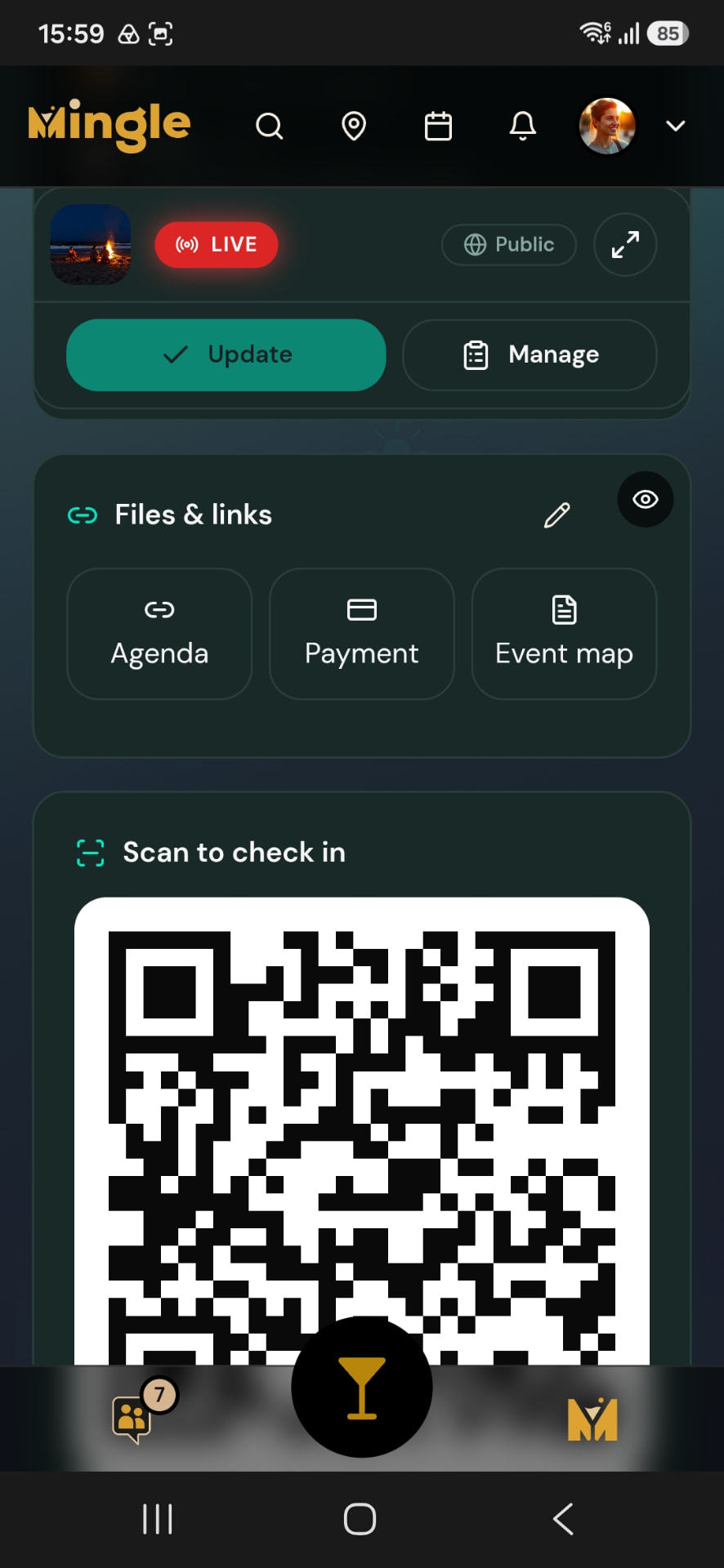
Publish the agenda, payment links and the site map for guests with a QR code for check-in, while production files stay with the crew.
Give crew members roles like admin and keep the whole team visible in one business profile, separate from your guest list.
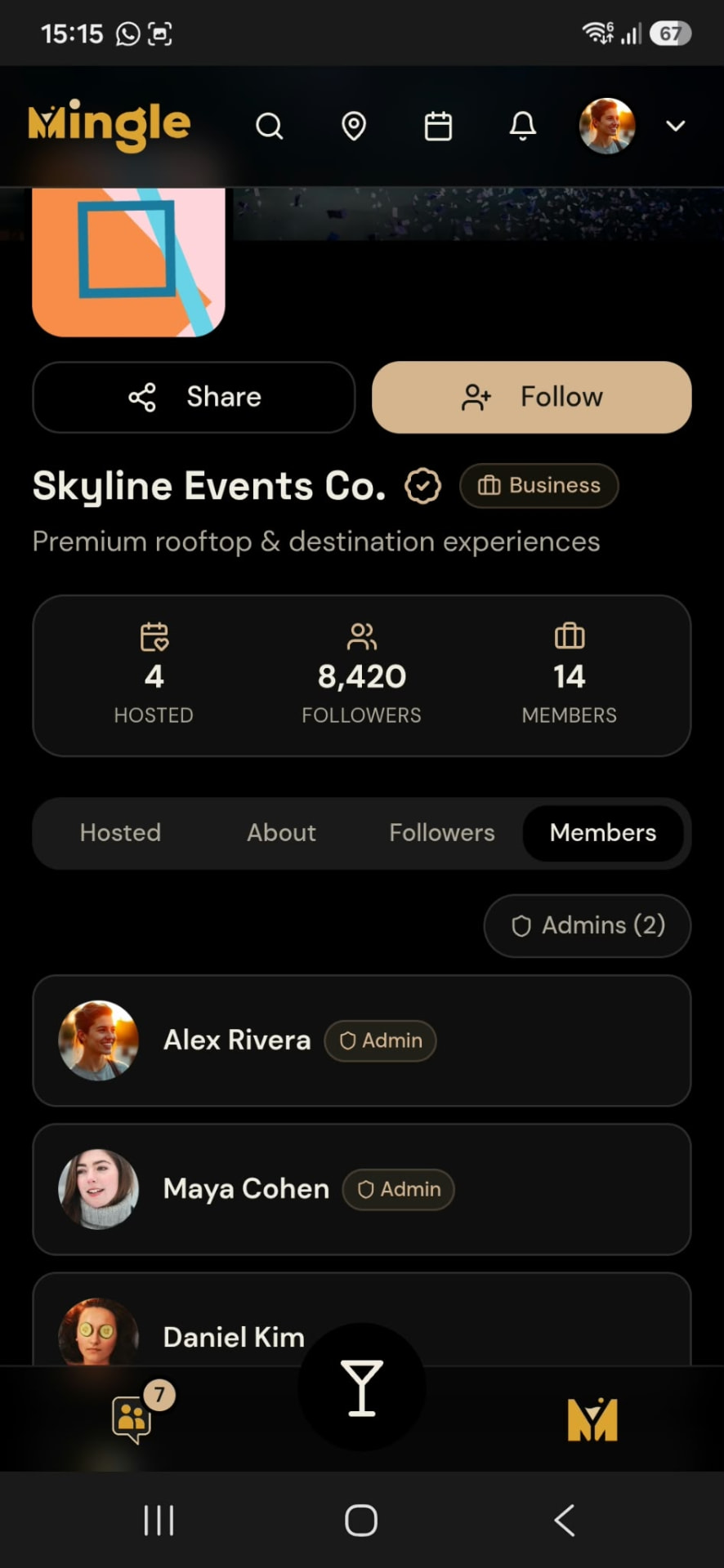
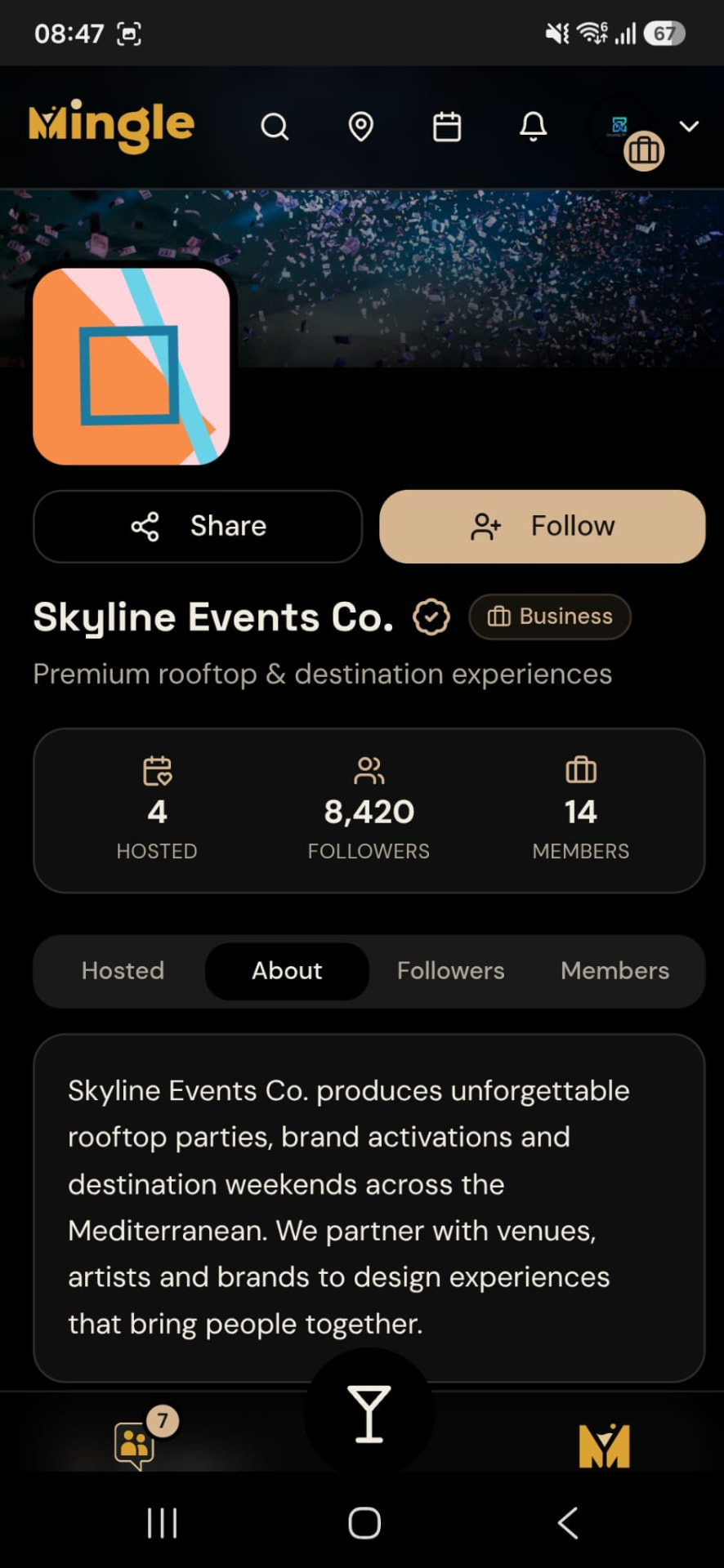
Present your event business with an About section, hosted events and followers, so clients and crew find you between events.
Get Mingle
Prefer not to install? Use Mingle at mingle-us.com.
Venues, agencies and organisers: tell us about the event and we will tell you honestly whether Mingle fits it.